A Saudi customer who reaches your checkout and does not see mada or Apple Pay will often leave. In Qatar, a store that cannot accept local NAPS debit cards loses a large share of residents at the last step. Payment methods are not a technical detail at the end of the project. They decide whether visitors become buyers.
In this guide I explain which WooCommerce payment gateways work in Saudi Arabia and Qatar, what you need to get approved, how buy-now-pay-later fits in, and the technical mistakes that cause lost orders. It is part of the WooCommerce & E-commerce section and is based on payment integrations I have built for Gulf stores.
In short: in Saudi Arabia, choose one licensed gateway (such as Moyasar, HyperPay, Tap or PayTabs) for mada, Visa, Mastercard and Apple Pay, then add Tabby or Tamara as separate methods. In Qatar, choose a gateway with direct NAPS debit support. Prepare your commercial registration and bank account first, and test every payment method before launch. Details below.
Last updated: November 2026
Payment methods your customers expect
Saudi Arabia
- mada: the local debit card network. Most Saudi customers have a mada card, so it is the first method to enable.
- Apple Pay: very common on mobile, and it makes checkout much faster.
- Visa and Mastercard: credit cards, often used for larger orders.
- STC Pay: a popular wallet, supported by some gateways.
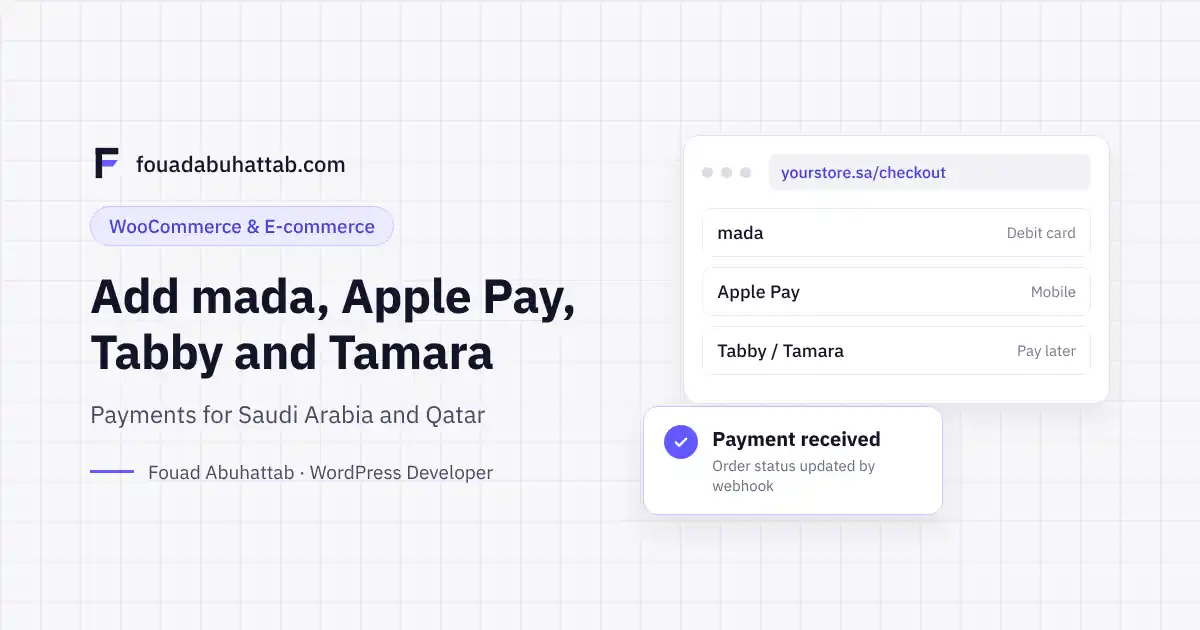
- Buy now, pay later: Tabby and Tamara let customers split the payment, and they raise conversion on higher-value products.
Qatar
- NAPS debit cards: the main card type for residents. Paying online with them needs extra verification, so the gateway must support them properly.
- Visa, Mastercard and Apple Pay.
WooCommerce payment gateways in Saudi Arabia and Qatar
Saudi Arabia
| Gateway | Main methods | WooCommerce plugin | Worth knowing |
|---|---|---|---|
| Moyasar | mada, Visa, Mastercard, Apple Pay, STC Pay | Yes | Asks for a Saudi CR or self-employment certificate and a Saudi bank account |
| HyperPay | mada, Visa, Mastercard, Apple Pay | Yes | Pricing and terms depend on the acquiring bank |
| Tap Payments | mada, Visa, Mastercard, Apple Pay, STC Pay, Tabby | Yes | Works in Saudi Arabia, Qatar and other Gulf countries |
| PayTabs | mada, Visa, Mastercard, Apple Pay | Yes | Requires your commercial registration number to appear on the website |
Most gateways quote pricing on request, so ask each one for a written rate. mada transactions are usually cheaper than credit cards, and settlement times differ by gateway and card type.
Qatar
| Gateway | NAPS debit | Worth knowing |
|---|---|---|
| Bank gateways (QNB, CBQ) | Direct | Approval can take a few weeks because of bank checks |
| SADAD Qatar | Direct | Settles to your existing Qatari bank account |
| Dibsy | Direct | Has a WooCommerce plugin |
| Tap Payments, PayTabs | Partial | Useful if you also sell in Saudi Arabia from one account |
Global gateways like Stripe and PayPal do not support NAPS debit cards, so they should not be the only option for a Qatari store.
Adding buy now, pay later: Tabby and Tamara
Tabby and Tamara are not card gateways. They are separate payment methods with their own official WooCommerce plugins, and they are added next to your main gateway. You apply to each one as a merchant, and once approved you get API keys for test and live mode.
A few practical notes:
- Each provider sets minimum and maximum order values. Outside that range, the method should not appear.
- Show the instalment message on product pages ("4 payments of 75 SAR"), not only at checkout. That is where it influences the decision.
- The provider pays you the full amount and collects the instalments from the customer, so your cash flow is not affected. Fees are higher than card payments, so price them into your margins.
On one Saudi store I worked on, SmartBody, I integrated Tap, Tamara and Tabby together with SMSA shipping. Offering instalments was one of the decisions that supported its growth to more than 300,000 SAR per month.
What you need before you apply
Gateway approval often takes longer than building the store, so start early:
- Commercial registration (or a self-employment certificate in Saudi Arabia) that matches what you sell.
- A local bank account in the company or owner's name, with an IBAN certificate.
- ID documents of the owner and authorized signatory.
- A live website with clear policies: returns, shipping, privacy and terms, plus contact details. Gateways review the site before approval.
- Your CR number and VAT number shown in the site footer where required.
Technical setup: the steps that matter
- Install the official plugin from WordPress.org or the gateway's own site. Avoid unofficial plugins for anything that touches payments.
- Start in test mode and run a full order with every method: mada, credit card, Apple Pay, and each instalment provider.
- Configure the webhook (callback) URL. Without it, a customer can pay successfully while the order stays "Pending payment" in WooCommerce. This is the most common cause of "the customer paid but I have no order".
- Verify your domain for Apple Pay. Apple Pay will not show until the domain verification file is uploaded and approved.
- Check checkout compatibility. Some plugins support the newer WooCommerce block checkout and HPOS, and some only work with the classic checkout. Confirm before you launch.
- Test refunds from the WooCommerce order screen, and make sure partial refunds work.
- Switch to live keys, place one real small order, and refund it.
Want local payments set up correctly the first time? Tell me which gateways you have or plan to use, and I will handle the integration, testing and go-live. Request a payment integration
Common mistakes that lose orders
- Hiding mada behind "Credit card". Show the mada logo clearly. Customers look for it.
- Too many payment choices. Four or five clear options convert better than ten.
- No Apple Pay on mobile. Most Gulf shoppers buy from their phones.
- Instalment providers shown for orders below their minimum, which leads to rejected payments.
- Prices without VAT clarity. Show whether prices include VAT before checkout.
Frequently asked questions
Which payment gateway is best for WooCommerce in Saudi Arabia?
There is no single best one. Choose a licensed gateway that supports mada, Apple Pay and STC Pay, offers an official WooCommerce plugin, and gives you a clear written rate and settlement schedule. Moyasar, HyperPay, Tap and PayTabs all meet this.
Can I accept mada without a commercial registration?
Saudi gateways require a commercial registration or a self-employment certificate, plus a Saudi bank account. Without them, you cannot open a merchant account.
Can I use Tabby and Tamara together?
Yes. Each one is a separate payment method in WooCommerce, and many Saudi stores offer both so the customer chooses.
Does Stripe work for stores in Saudi Arabia and Qatar?
It is not a fit for local customers, because it does not support mada or NAPS debit cards. Use a local licensed gateway for local cards.
How long does gateway approval take?
It varies from a few days to a few weeks, depending on the gateway and how complete your documents are. Bank gateways in Qatar usually take the longest.
Get paid without friction
Payments are where your marketing either pays off or leaks away. Explore my WooCommerce development service, read how much a WooCommerce store costs in Saudi Arabia, or book a 30-minute call to plan your payment setup for Saudi Arabia or Qatar.