A slow website costs your business twice: visitors leave before they see your offer, and Google ranks a faster competitor above you. In the Gulf market, where most customers browse on their phones, every second of delay is a real loss in orders and enquiries.
This guide is part of the Performance & SEO section. It covers the seven steps I apply on every speed project, ordered by impact, plus the mistakes to avoid so you do not break your site while optimizing it.
The goal in short: your main content should appear within 2.5 seconds, the page should respond to any tap within 200 milliseconds, and nothing should shift while it loads. These are the Core Web Vitals Google uses to measure visitor experience.
Why speed matters for a business website
Speed is not a technical detail only your developer cares about. A visitor staring at a blank page hits the back button and picks another result, and a customer waiting on a slow checkout abandons the cart. Google also uses page experience signals in ranking, so a slower site loses visitors before they even arrive.
The good news: most slow WordPress sites suffer from the same causes, and all of them can be fixed without rebuilding the site from scratch.
The three metrics you should know
LCP (Largest Contentful Paint): the time until the largest visible element appears, usually the main image or heading. Target: 2.5 seconds or less.
INP (Interaction to Next Paint): the time between a visitor's tap and the page responding. Target: 200 milliseconds or less.
CLS (Cumulative Layout Shift): how much elements move while loading, like a button jumping so the visitor taps the wrong one. Target: 0.1 or less.
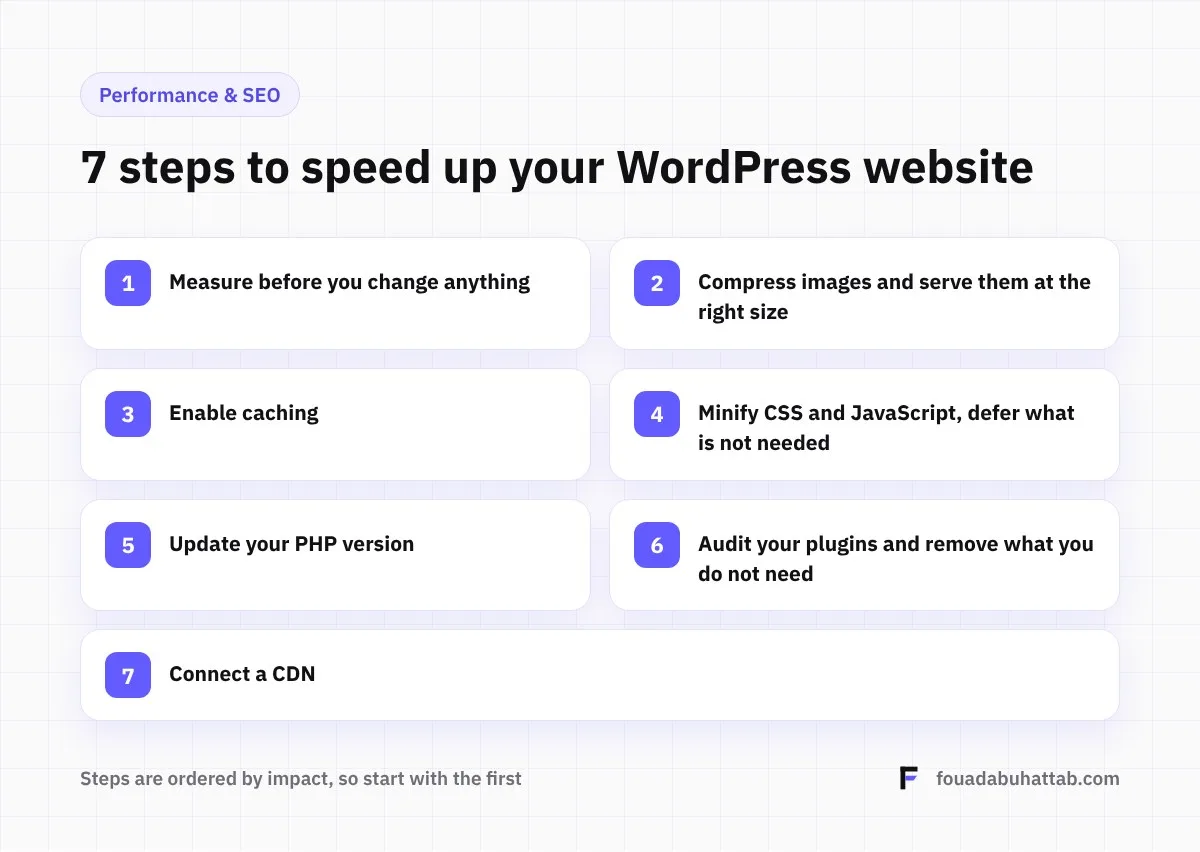
1. Measure before you change anything
Start with Google PageSpeed Insights and focus on the mobile result, not desktop, because it is closer to your customers' experience. Test at least three pages: the homepage, a service or product page, and an article, since each page type can be slow for a different reason.
Record the numbers before you start. Without them you will not know which step made the difference, and you cannot prove the result.
2. Compress images and serve them at the right size
Heavy images are the number one cause of slow WordPress sites. Convert them to WebP, never upload a 4000-pixel photo to fill a 400-pixel box, and enable lazy loading for images further down the page.
Common mistake: lazy loading the main image at the top of the page itself, which delays it and makes LCP worse instead of better.
3. Enable caching
Caching stores a ready-made copy of each page, so WordPress does not rebuild it for every visit. It is usually the single biggest speed gain you can make in one step.
If your host runs a LiteSpeed server, LiteSpeed Cache is the strongest option. Otherwise, use a plugin like WP Rocket. For larger stores, object caching (Redis) also speeds up database queries.
Watch out: cart, checkout and account pages must be excluded from caching, or one customer might see another customer's cart.
4. Minify CSS and JavaScript, and defer what is not needed
Minification removes unnecessary spaces and characters from code files. Even more important is deferring scripts the visitor does not need in the first moment, such as chat widgets, tracking codes and ads, so your content appears first.
Test the site carefully after each change like this, because deferring the wrong script can break a menu, a form or a buy button.
Is your site slow and you do not know where to start? I measure your key pages, identify what slows them down ranked by impact, then fix it and hand you the before and after numbers. Request a speed audit
5. Update your PHP version
Every major PHP release is faster and more secure than the last. Many sites still run old versions simply because nobody checked in years. Updating takes minutes from your hosting panel.
Test it on a staging copy first, though, because some older plugins and themes are not compatible with newer versions.
6. Audit your plugins and remove what you do not need
Every active plugin may load its code on every page, even if you only use it on one. Review your plugin list, deactivate what you no longer use, and replace heavy plugins with lighter alternatives where possible.
A tool like Query Monitor shows which plugin takes the longest to load, so you know exactly what is slowing your site instead of guessing.
7. Connect a CDN
A content delivery network like Cloudflare serves your files from a server close to each visitor. If your hosting is in Europe or the US, visitors in Riyadh and Doha get your files from a nearer point, which noticeably cuts load time.
Common mistakes that make speed worse
Installing several optimization plugins at once: two caching or minification plugins conflict and can break your design.
Chasing the score alone: the PageSpeed score is a useful indicator, but what matters is real visitor experience and Core Web Vitals.
Huge sliders at the top of the page: a five-image homepage slider is one of the most common causes of slow sites, and a single strong image usually works better.
Loading too many font weights: every extra weight is another file to download. Two or three are enough.
Speed and sales: a real example
On a Saudi store I worked on, performance work was part of a set of technical decisions that grew monthly revenue from around 3,000 SAR to over 300,000 SAR. The details are in 7 technical decisions that grew a Saudi WooCommerce store's revenue 100x.
Frequently asked questions
What is a good PageSpeed Insights score?
The closer to green (90+) the better, but do not chase 100. What matters most is keeping the three Core Web Vitals within the targets above on mobile.
Is one optimization plugin enough?
It solves a large part of the problem, but it does not fix heavy images, unnecessary plugins or weak hosting. Real speed comes from combining all seven steps.
How long does WordPress speed optimization take?
It depends on the size of the site and the causes of slowness. Company websites usually improve within a day or two, while large stores need more time for testing.
Start with one step today
Test your site in PageSpeed Insights now and record the result. If you would rather have someone handle the measurement and the fixes, see my WordPress speed optimization service or get in touch.